Create
Legally binding e-signatures for your documents
Send agreements, offer letters, and engagement letters for signature, straight from your templates. Signers can sign on any device, with no account required, and you receive the signed PDF automatically.
- Sign on any device, no account
- Signature certificate included
- Built to support ESIGN, UETA and eIDAS
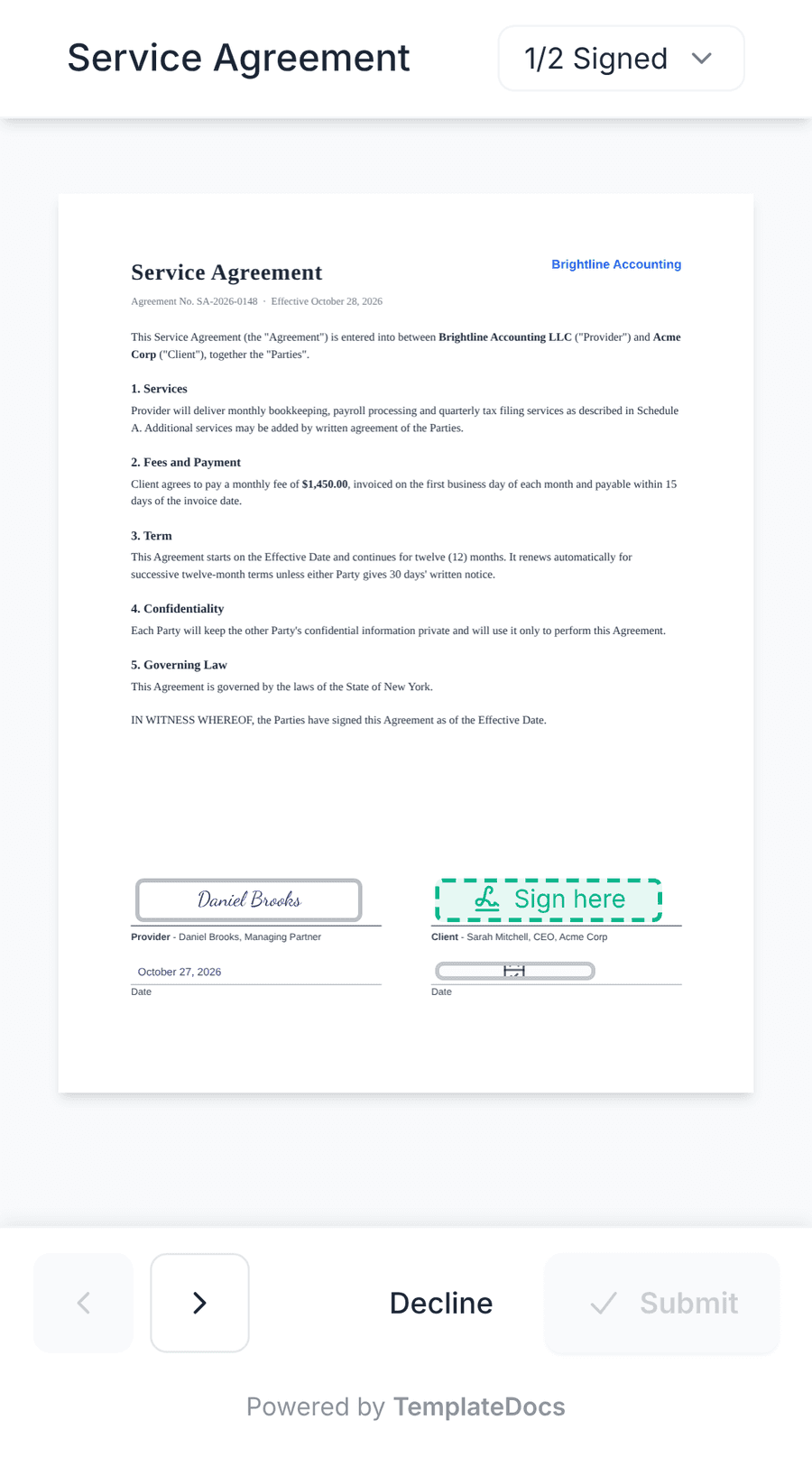
Legally binding, with proof
Built to support ESIGN, UETA, and eIDAS. Signers verify their email before they sign, and every signed PDF comes with a signature certificate.
Compliance docsEasy for every signer
Signers open a personal link from their email and sign in the browser, on a computer, a tablet, or a phone. No account, no app.
Ready to sign from your templates
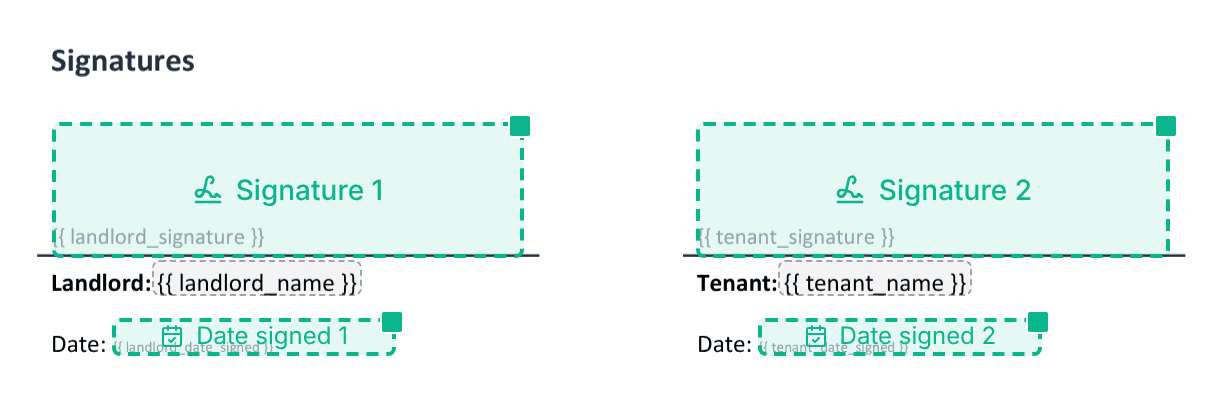
Mark where people sign in your Word template once, and every document comes out with the signature fields already in place.
Connected to the rest of your process
Send for signature from a form, a schedule, or a CRM event, file the signed PDF in cloud storage or your CRM, and find every request in History.
Everything you need to get documents signed
A signing page your clients will find easy, the evidence you need, and signed PDFs that flow into the rest of your process.
From signature request to signed document
Send documents for signature with a simple, no-code solution. Pull data from your CRM and other apps, collect signatures, then automatically deliver the completed PDFs by email, save them to cloud storage, or add them back to your CRM. All as part of one seamless process.
- Simple setup, no code required
- Connect to your CRM and other apps
- Automated delivery and filing
Several signers, at once or in order
Collect signatures from multiple people, either all at once or in a specific order. Set signing deadlines, send reminders, and track each signer's progress, so documents keep moving without manual follow-ups.
- All at once, in order, or in rounds
- Reminders and deadlines
- Track each signer's status
A signing page that works on any device
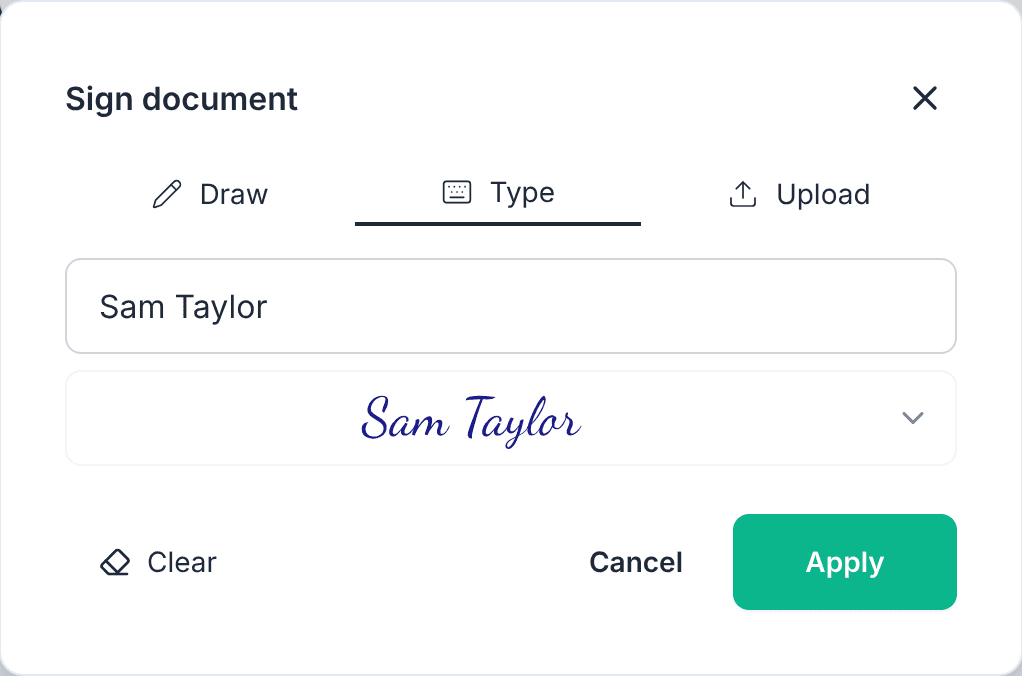
Each signer gets an email with a personal link. They confirm their email with a one-time code, read the document, fill in their fields, and sign by drawing, typing, or uploading a signature - in any modern browser, on a computer, a tablet, or a phone.
- Personal signing link by email, with your branding
- Draw, type, or upload a signature
- No account, no app
Mark where people sign, in Word
Prepare reusable signature templates right in Microsoft Word. Add signature fields, initials, dates, and other information exactly where you want them, without complicated editors or setup. Reuse your templates to generate documents ready for signing.
- Create templates in familiar Microsoft Word
- Place signatures, initials, dates, and other fields
- Reuse templates across your workflows
Secure, legally binding signatures
Collect electronic signatures with confidence.
TemplateDocs supports electronic signatures under the ESIGN Act and UETA, and the Simple Electronic Signature (SES) level of eIDAS. Every signing request includes a detailed audit trail and a signature certificate, helping you maintain a reliable record of the signing process.
- Supports ESIGN, UETA, and eIDAS (SES)
- Detailed audit trail and signature certificate
- Encrypted in transit and at rest
Part of a document process that runs itself
From collecting information to generating documents, gathering signatures, and delivering the results, TemplateDocs automates the entire process. Connect your existing apps, set it up once, and let every document follow the same path automatically.
- Starts from forms, webhooks, schedules, or CRM events
- Signed copies filed in cloud storage and your CRM
- Track every signature request in History
- Handle unsigned documents automatically
