Create
Forms that turn submissions into documents
Create branded forms that collect the data your documents need, then generate Word or PDF files and continue the process automatically.
- Built for document generation
- Branded and shareable
- No sign-in for respondents
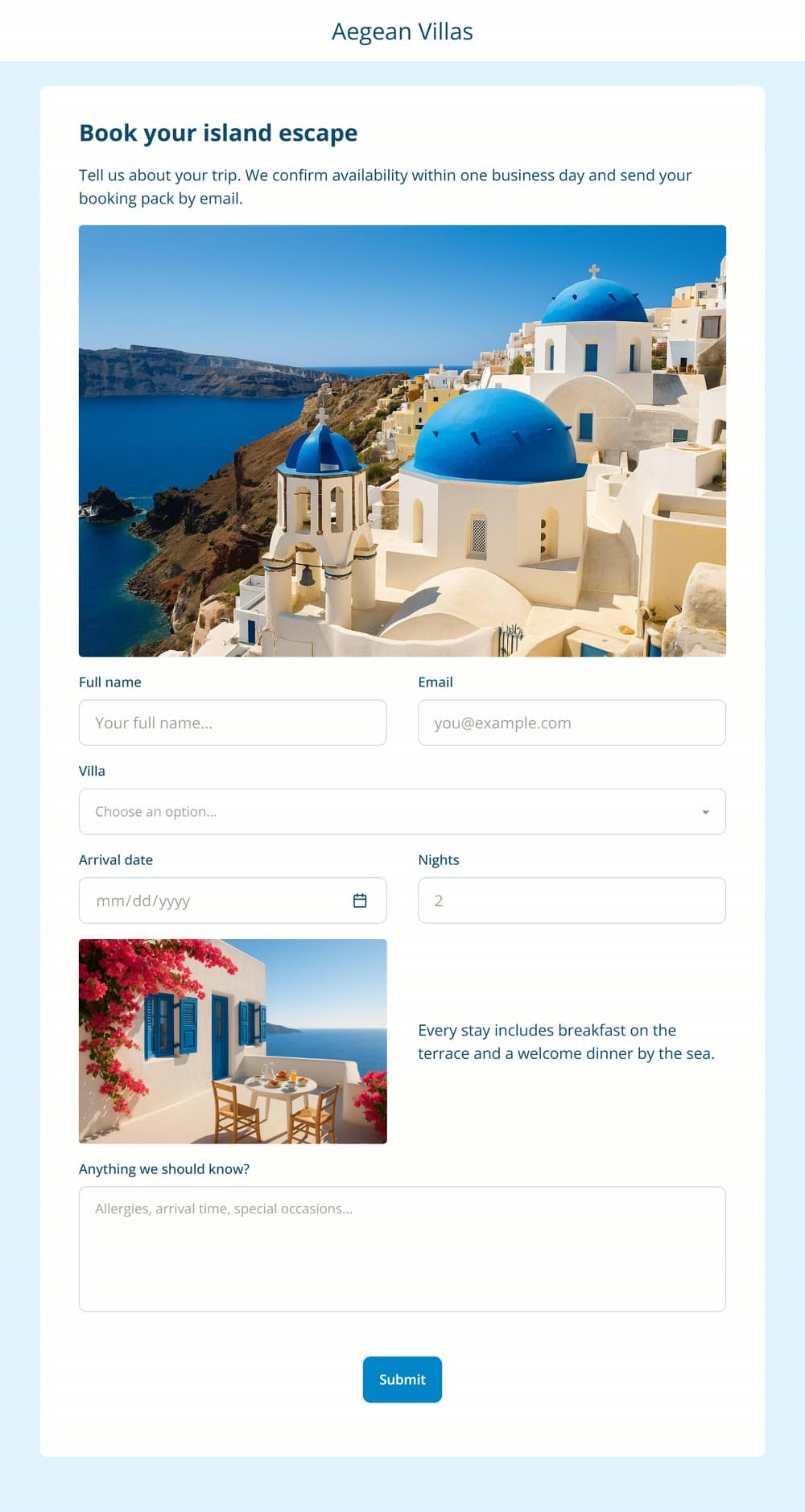
Generate a document from every submission
Form fields map to your template's tags, so every submission can generate a polished Word or PDF document - without exports or middleware.
Forms docsStyled to match your brand
Themes, colors, your logo, and imagery. Headings, paragraphs, and photos sit alongside the inputs, so a form reads like a page you designed.
Share it or embed it
Every form has a public link that works without an account, and an embed snippet for placing the form inside your own website.
Start workflows from submissions
A submission is a trigger. The workflow generates the document, emails it, files it, and records the run - as one process.
From blank form to running intake process
Everything you need to collect clean data and turn it into documents - without gluing tools together.
Build forms around your templates
Design the form next to the template it fills. Form fields map to the template's tags, so the data arrives exactly where the document needs it - no exports, imports, or middleware in between.
- Drag-and-drop form designer
- Fields map directly to template tags
- Preview the form as you build it
- One form can drive a whole multi-step workflow
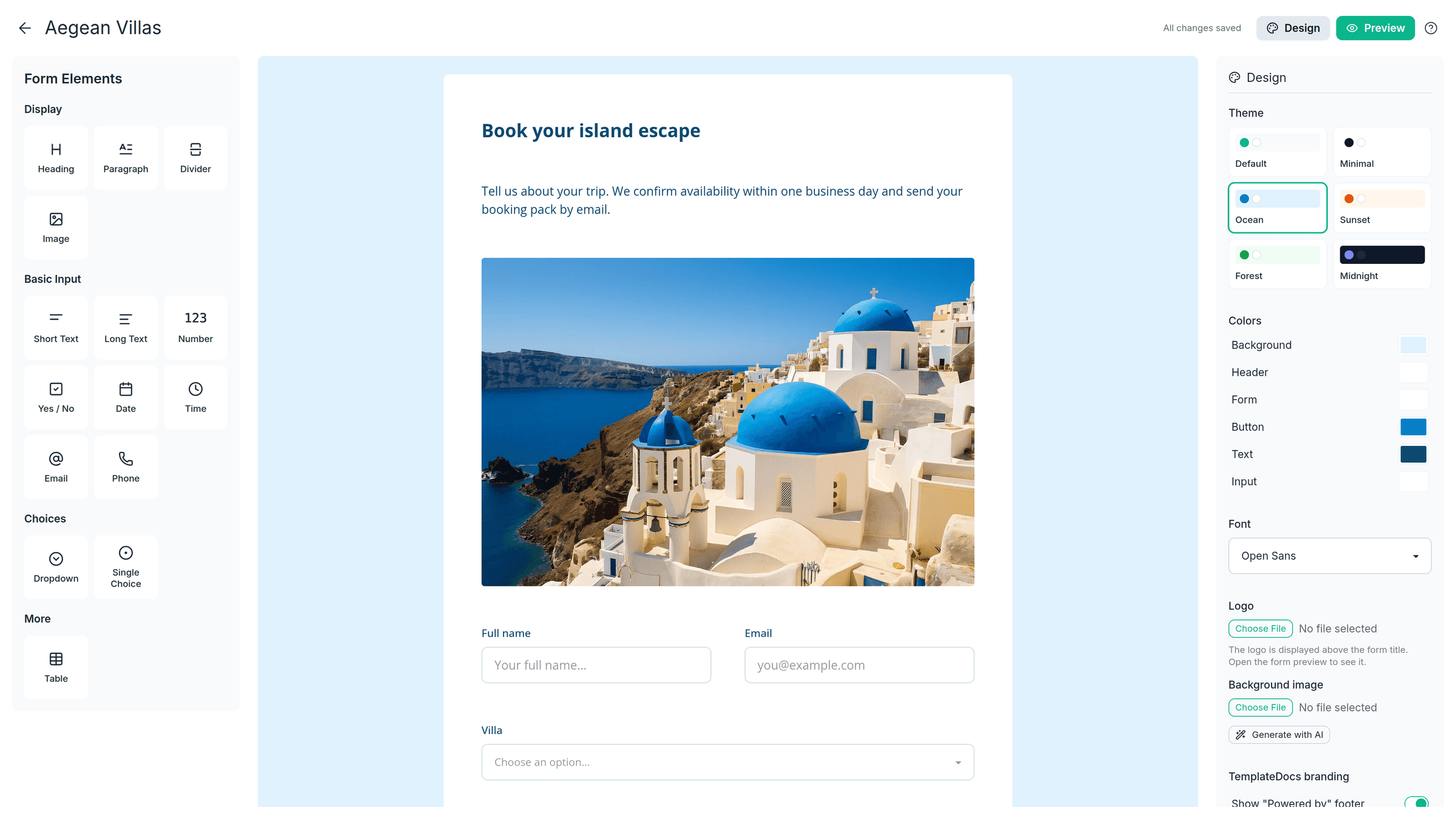
Fields for answers, tables for line items
Collect everything from simple answers to structured, repeating data. Use standard fields for names, dates, contact details and choices, or tables for line items, attendees, products, and other repeating entries.
- Text, number, date, choice, and contact fields
- Headings, paragraphs, and images between the inputs
- Tables for collecting repeating rows of data
- Rows that feed document tables, loops, and charts
- Branching decisions run in the workflow after submit
Branding, themes, and customization
Make public forms feel like part of your brand. Add your logo, choose your colors and fonts, and use banners, images, and backgrounds to create the right look for each form.
- Your logo, colors, and background imagery
- Ready-made themes with per-color control
- Photos and banners between the fields
From form submission to complete workflow
Form submission can trigger the whole process. The moment someone submits, the workflow takes over - generating the document, emailing it out, saving it to storage, and logging the run - as one uninterrupted process.
- Form → document → delivery as one process
- Every submission starts a workflow run
- Conditions and routing applied per submission
- Full run history for every submission
Build your first document-generating form
Build a form, connect it to a template, and share the link. TemplateDocs takes care of everything after Submit.
Get startedFree plan available - no credit card required