Automate
Automate your document process from start to finish
Define the process once - from trigger to document generation to delivery - and TemplateDocs runs it for you every time.
- Visual builder, no code
- Delivery and storage included
- Every run recorded
Automate the steps that slow you down
Define the workflow once, and TemplateDocs handles the repetitive work - generating documents, calculating values, sending emails, and moving files where they need to go.
Start from a trigger
A form submission, a webhook from another system, or a connected app calling in - wherever the process begins, the workflow picks it up.
Delivery is part of the run
The same run emails the documents, files them in cloud storage, and passes results on to connected apps and systems.
Every run is recorded
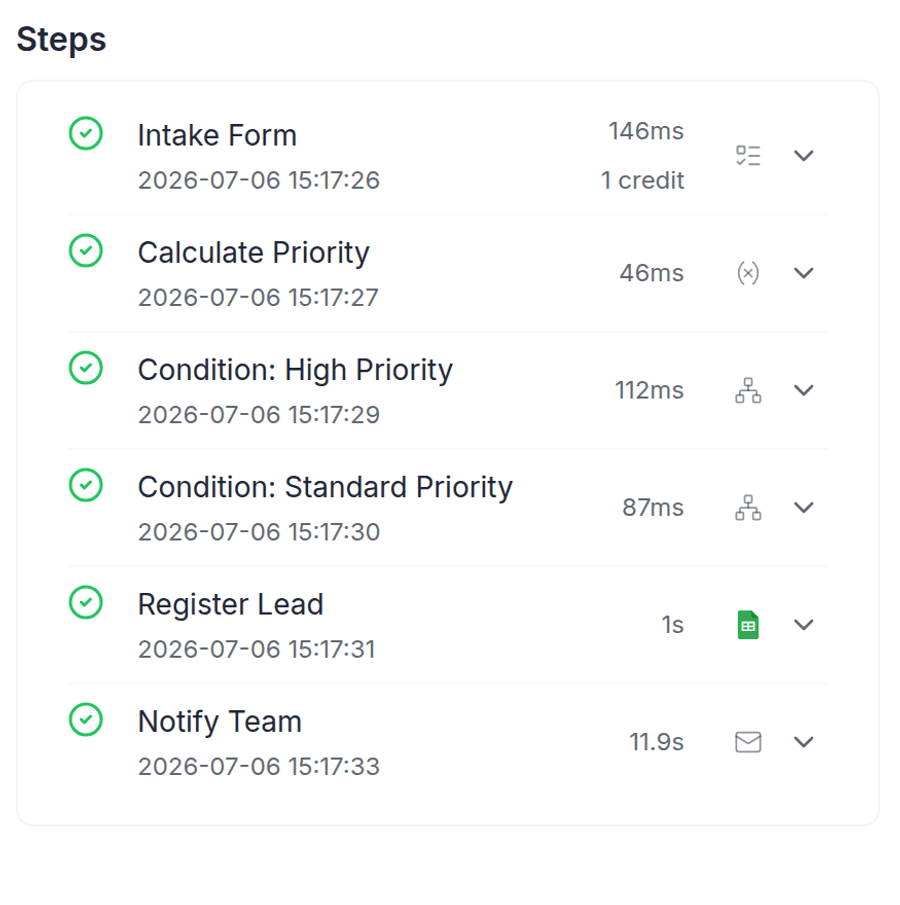
What triggered it, what each step did, and what went out - recorded for every run, with the credits it used.
Everything from trigger to delivered document
Lay the process out visually, let conditions handle the variations, and get documents generated, sent, and filed without anyone pushing them along.
A visual workflow builder anyone can use
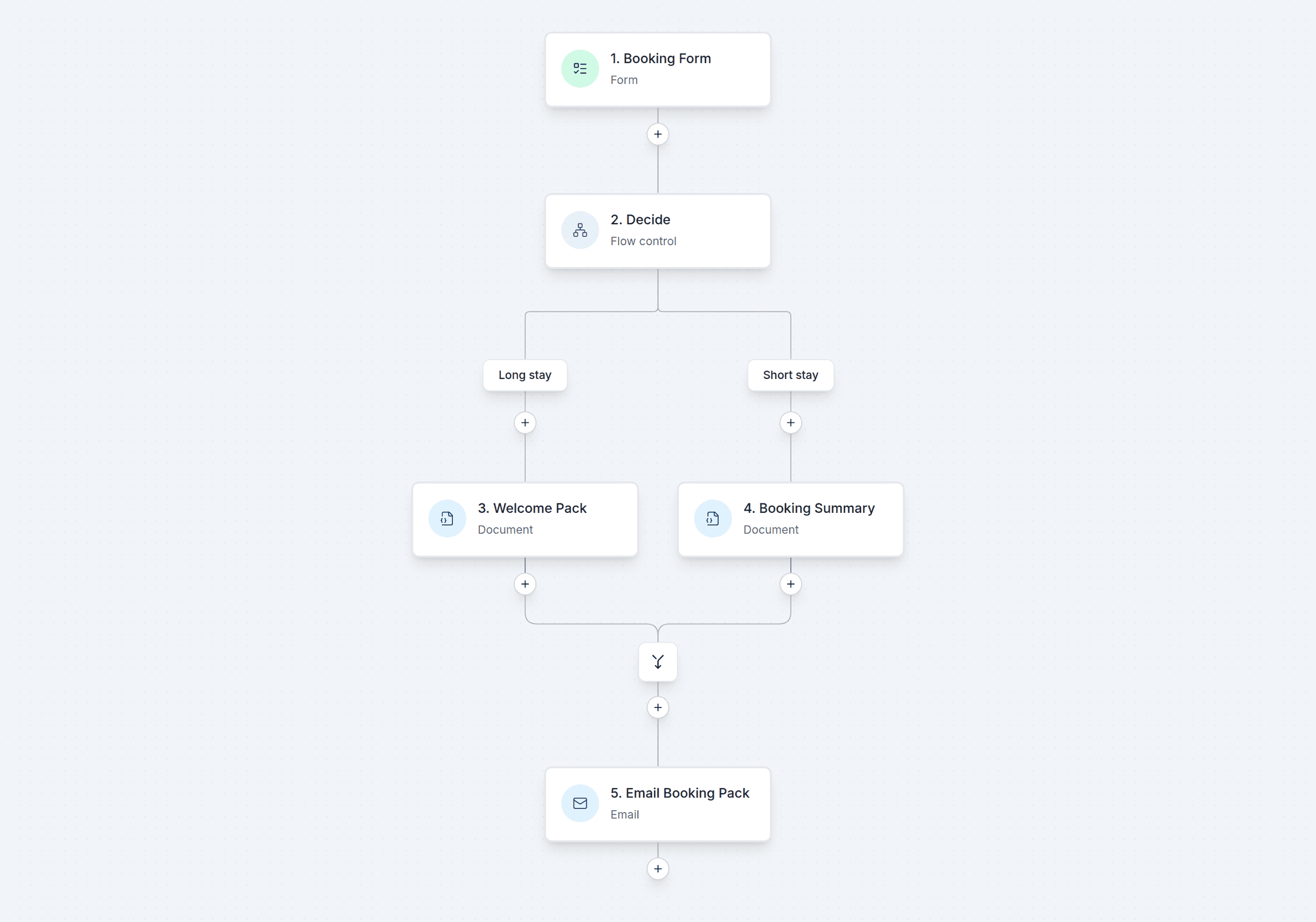
Map the process as connected steps on a canvas: collect data, generate a document, send an email, save a copy. If you can describe the process, you can build it - no code involved.
- Drag-and-drop steps on a visual canvas
- See the whole process at a glance
- Documents, emails, and data steps in one place
- No technical background needed
Start from forms, webhooks, and connected apps
The workflow starts wherever the process starts: with a form submission, an incoming webhook, or an event from a connected system. From there,TemplateDocs carries the process through the remaining steps.
- Form submissions as triggers
- An incoming webhook address for every workflow
- Trigger workflows from the tools you already use
- Webhook starts can be locked down to authorized callers
Conditions, branching, routing, and formulas
Real processes don't always follow one straight path. Branch based on field values, route different cases through different steps, and use formulas to calculate the values your documents and workflow need.
- Conditions that branch the flow on any value
- Different paths for different cases
- Formulas with math, text, and date functions
- One workflow instead of many near-duplicates
One run, several documents
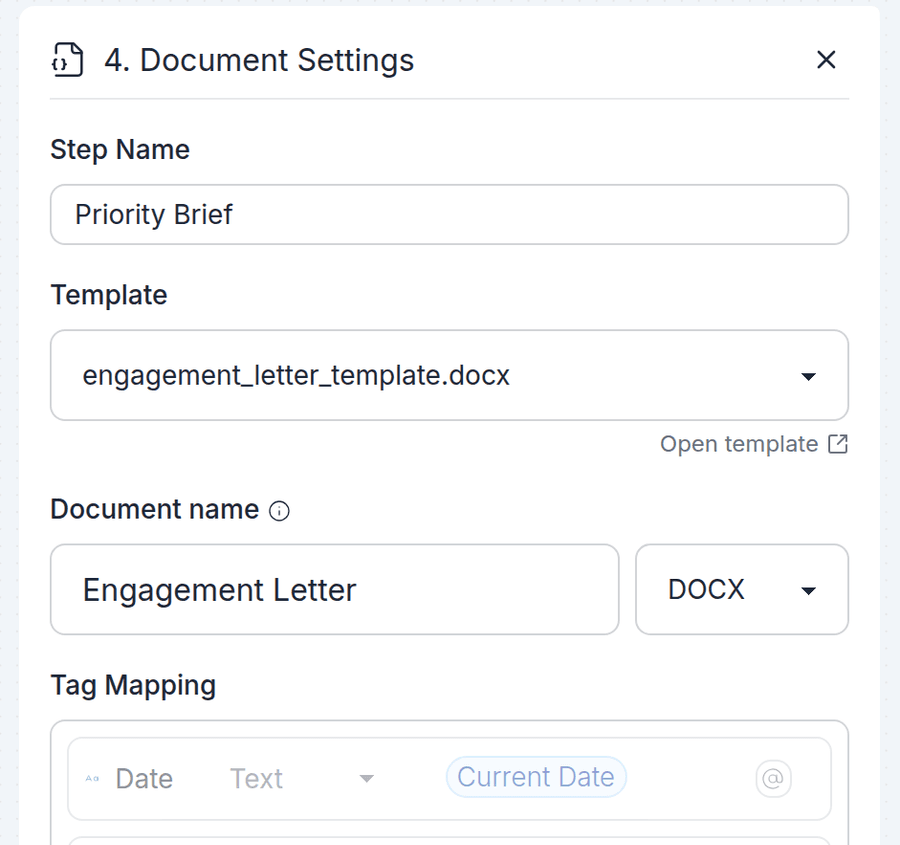
One workflow can produce multiple documents. The same run can generate a contract and its cover letter, email both, store the copies, and update your records - each document from its own template.
- Multiple documents in a single run
- Each document with its own template and settings
- Steps that build on earlier steps' output
A record of every run
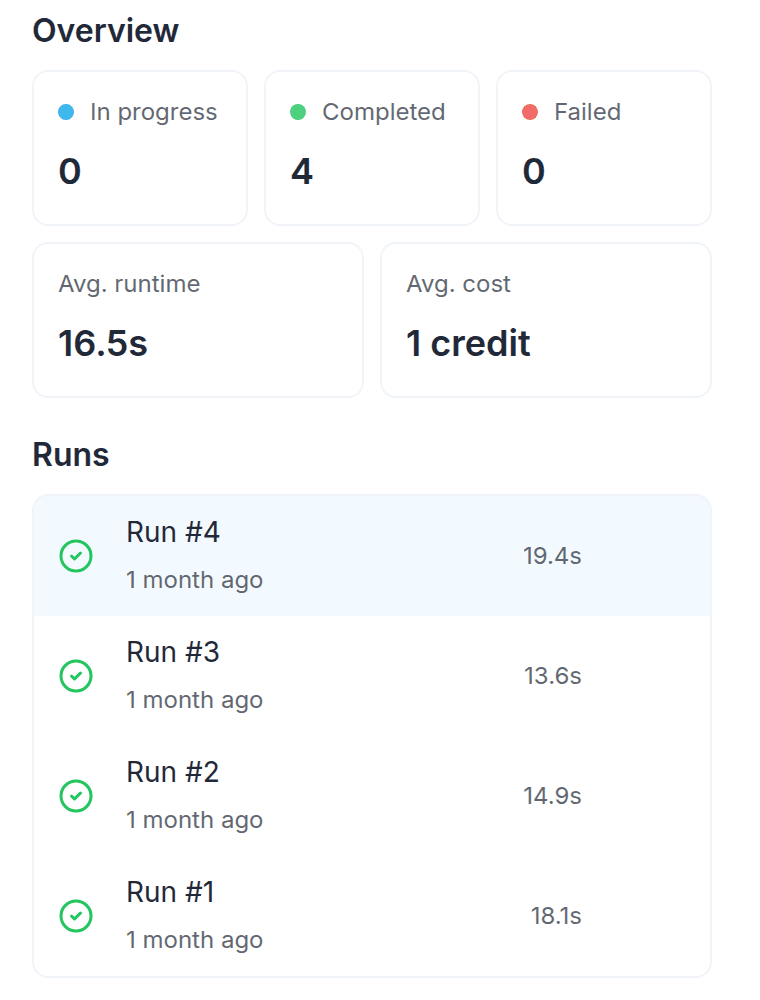
Each run leaves a complete history: when it started, which steps ran, what data moved through them, and which documents were generated. Everything stays together as a clear record of the process.
- Step-by-step status and timing for every run
- Documents and deliveries recorded together
- Key data and results recorded along the way
- Run details available for review and diagnostics
Connect your workflow to the tools you already use
Keep documents, delivery, storage, and data updates connected in one workflow - with integrations to extend the process further.









- Email delivery built in, from your own domain
- Documents filed in Google Drive, Dropbox, and OneDrive
- Rows and records added to Google Sheets, Airtable, and Notion
- Connect thousands more apps through Zapier, and Make
- Call any API directly with HTTP steps
Build your first document workflow
Start with a process you repeat today and automate its path from data to delivery. TemplateDocs keeps it running the same way every time.
Get startedFree plan available - no credit card required