Workflow Documents
Document steps generate Word (.docx) or PDF files from your templates and workflow data.
Add a Document step anywhere in your workflow, select a template, and map workflow variables to the template's tags.
Adding a Document Step

Add a Document step to your workflow and select a template from your organization's template library.
You can:
- Generate documents in DOCX or PDF format
- Use any template from your template library
- Map data from previous workflow steps to template tags
- Add multiple Document steps to generate different documents
Mapping Data to Documents
Templates contain dynamic tags, such as {{ Name }}
or {{ CompanyName }}.
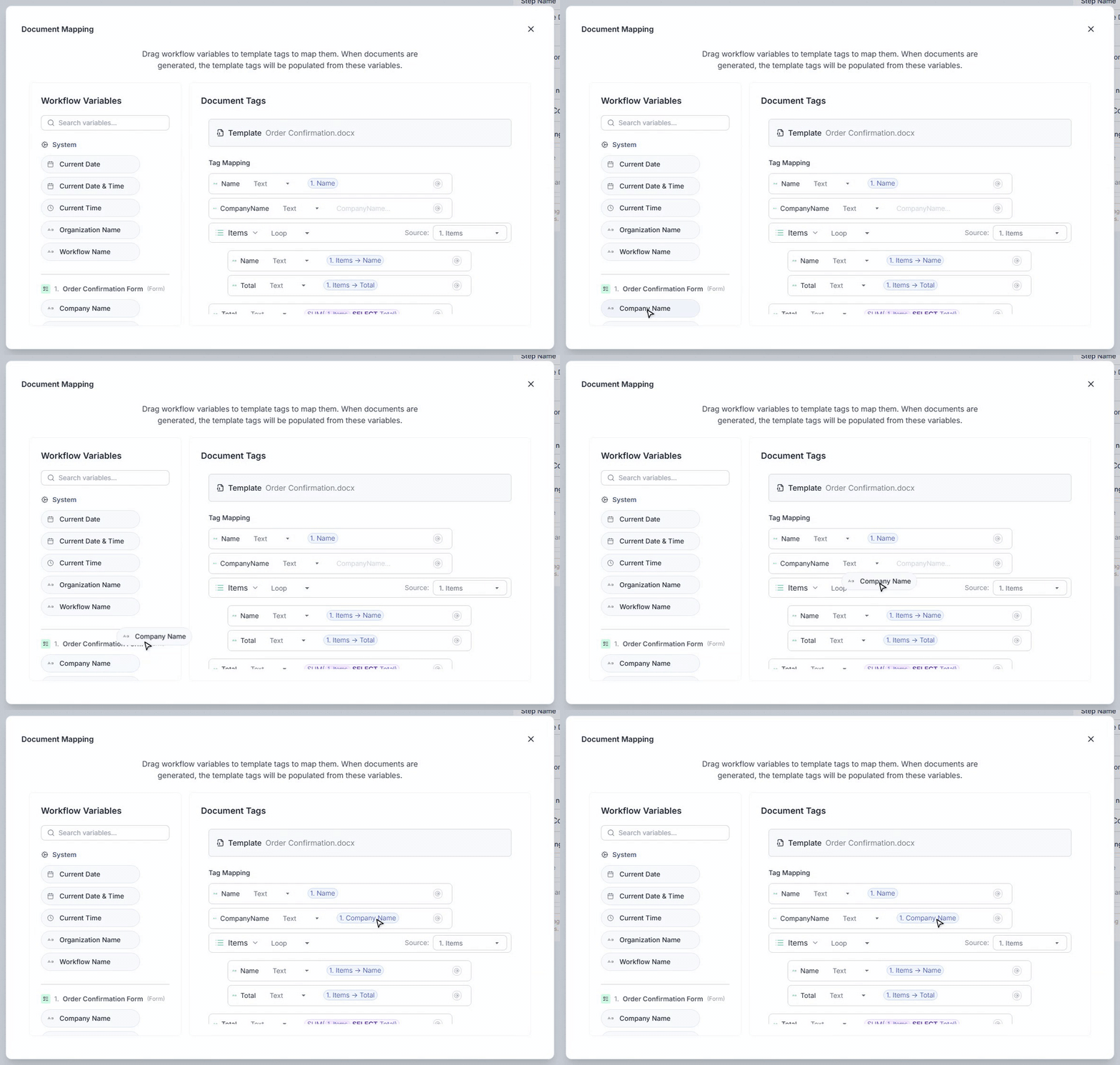
The Document Mapping editor lets you map workflow variables to these tags. Drag variables from previous steps to the corresponding template tags to control the data used when the document is generated.
Workflow variables can come from forms, webhooks, formulas, integrations, or any other previous step in the workflow.
Loops
Template loops can be mapped to arrays of workflow data.
For example, a table field in a form can collect multiple rows of data. Arrays can also be provided directly when triggering a workflow through a webhook.
Select the source array for the loop, then map values from each array item to the tags inside the loop. This makes it easy to generate tables and repeating sections from data such as order items, invoice lines, or contacts.
You can also use array expressions to filter, sort, or select data before mapping it to a loop.
Using Generated Documents
Once generated, a document becomes available to later steps in the workflow.
You can attach it to an email, upload it to cloud storage, or use it in other supported workflow steps.
Next Steps
- Learn more about template tags
- Explore loops for repeating data
- Learn how to use formulas
