Data Retention
Data retention controls how long items stay in your organization's History before they are automatically deleted. Your plan sets the maximum retention period, and you can choose a shorter one.
Retention by Plan
| Plan | Maximum retention |
|---|---|
| Free | 30 days |
| Paid plans | Unlimited |
Excluded from Automatic Deletion
- Items saved to the Library - saving a document, submission or signature from a run also excludes the entire run from automatic deletion. Once no items from a run are saved in any folder, the run follows your retention settings again. If the run is already past its retention period, it will be deleted shortly after.
- Runs that are still running or waiting - for example, waiting for a signature or a form submission. Your retention settings apply once they finish.
- Signatures and their signed documents - they remain available even after their run is deleted, until you delete them yourself.
Templates and workflows are not part of the history. They are kept until you delete them.
Choosing a Shorter Retention
Organization Owners and Admins can choose how long the history is kept:
- Open Settings and go to the Organization tab
- In the Data Retention section, click the pencil button
- Enter the number of days for each type of item, or leave it empty to use your plan's maximum retention period
- Click the check mark button to save
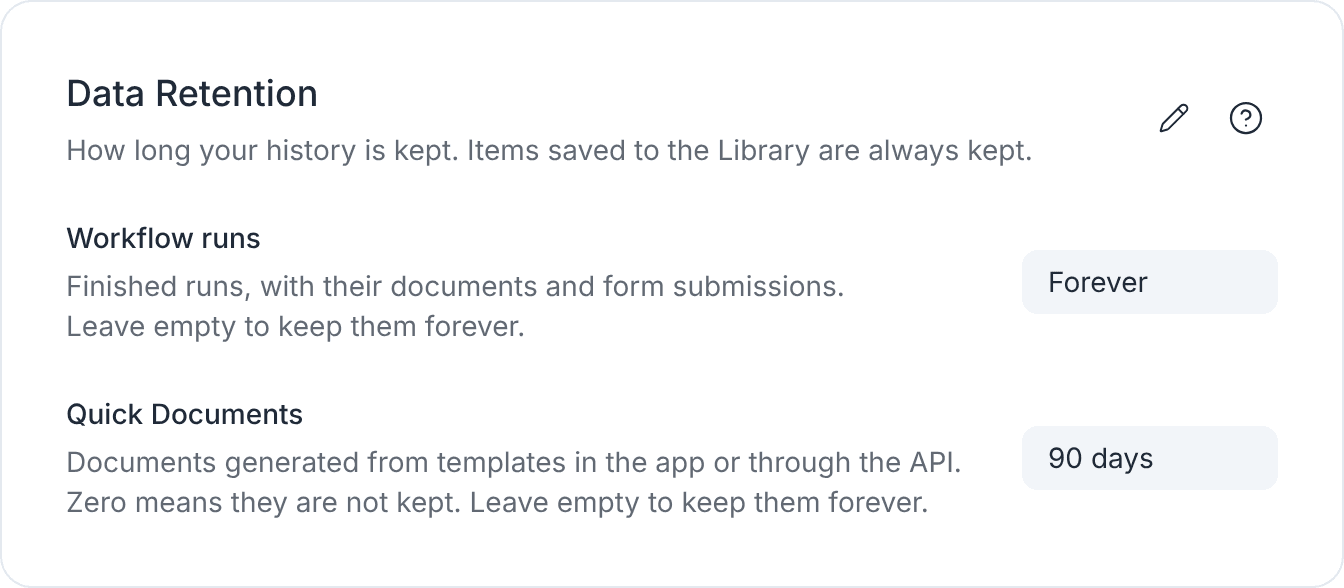
There are two settings:
- Workflow runs - finished runs, with their documents and form submissions. At least 1 day.
- Quick Documents - documents generated from a template in the app or through the API. Set it to 0 to not keep Quick Documents at all: you still get the generated document, but it is not stored in your History.
A retention period can't be longer than your plan allows. If your plan changes to one with a lower limit, any retention periods above that limit are reduced to match it.
Shortening a retention period can cause older items to be permanently deleted during the next automatic cleanup. Deleted items cannot be recovered.
Switching from Paid to Free
When a paid plan ends, your existing retention settings continue for another 30 days. After that, the Free plan retention limit applies, and items older than 30 days are permanently deleted.
To avoid losing your history, switch back to a paid plan before the 30-day period ends.
Next Steps
- Learn about the History
- Keep important items in the Library
- Read about credits and plans
